Channels per department
Lighting, sound, video, cues: up to four channels, named after your crew. Selecting a channel means both listening to it and being able to talk on it. Select as many as you like.
Scroll through the application screenshots. Open an image to take a closer look.

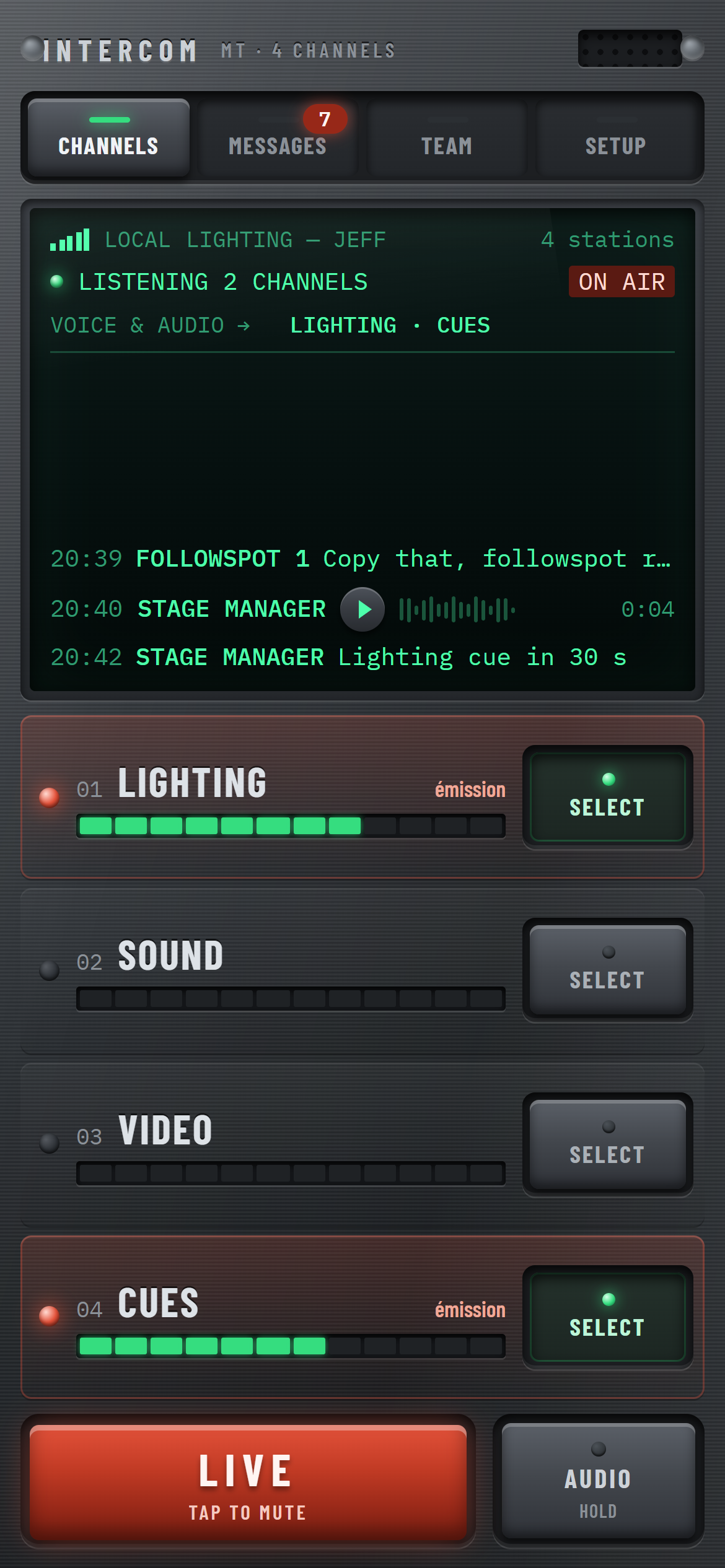
Each department has its own channel, level meter and select key.

Hold TALK: your voice goes to every selected channel.
One press opens the mic, another closes it. Everyone can talk at once.

The full message history, on a large readable screen.
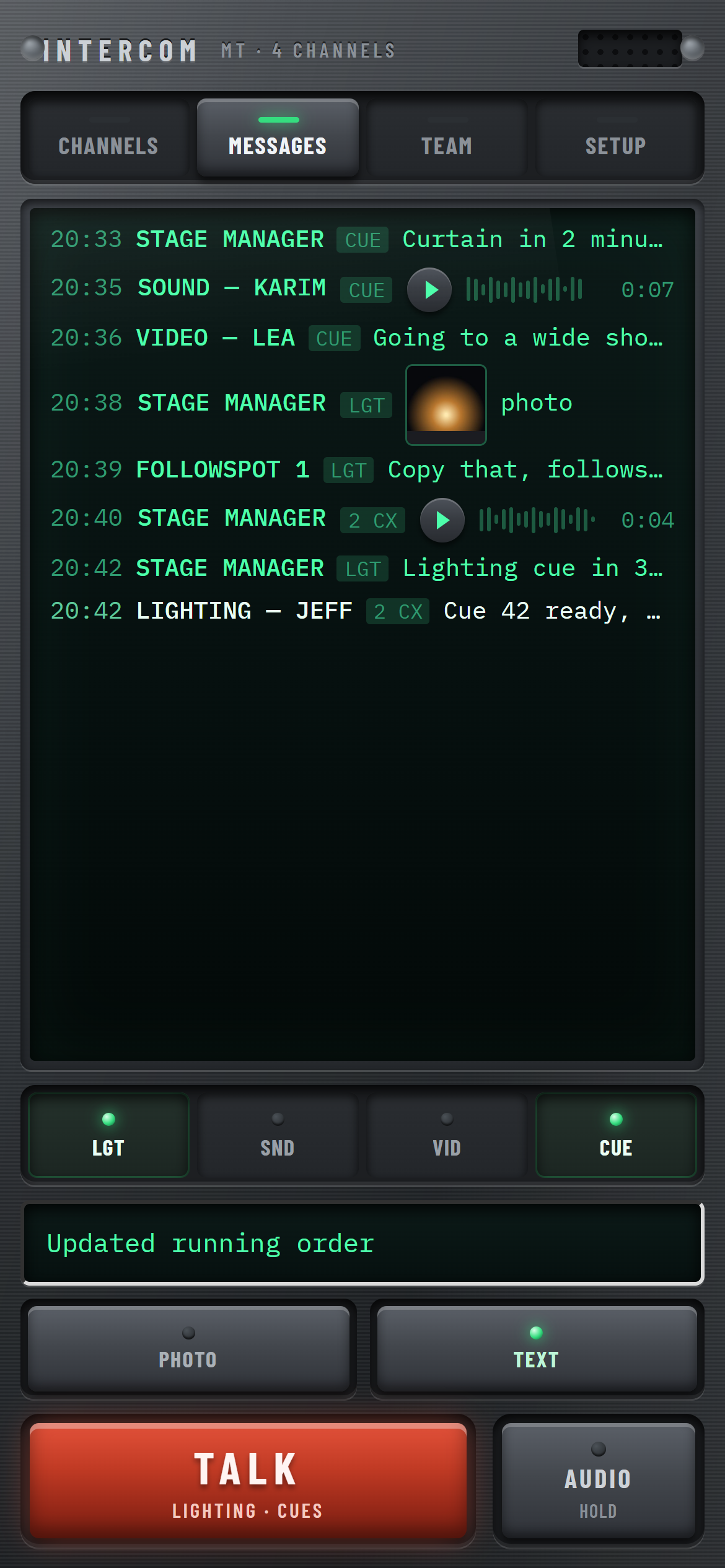
Pick the destination channels and send a text message.
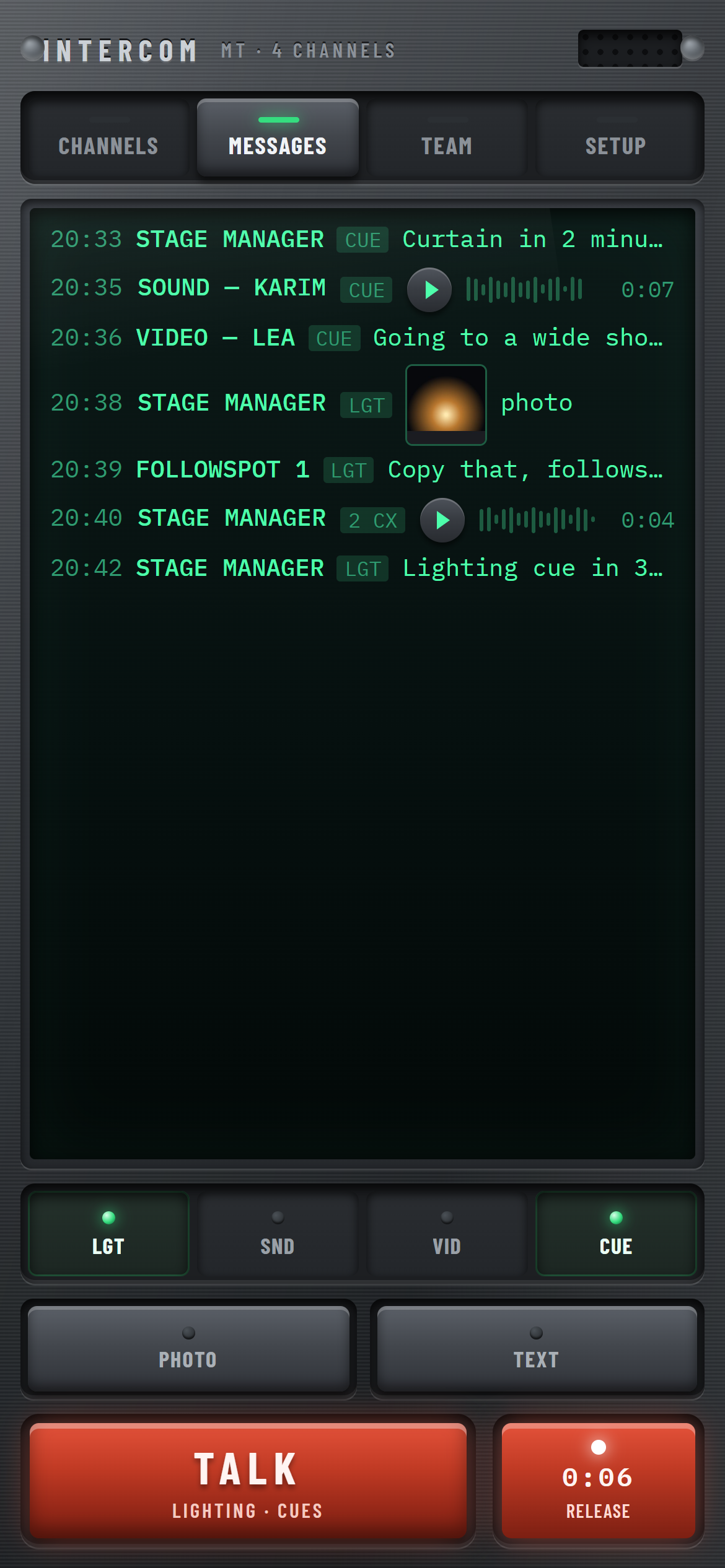
Hold AUDIO, speak, release: the message lands in the feed.

A channel you are not listening to lights up when someone talks on it.
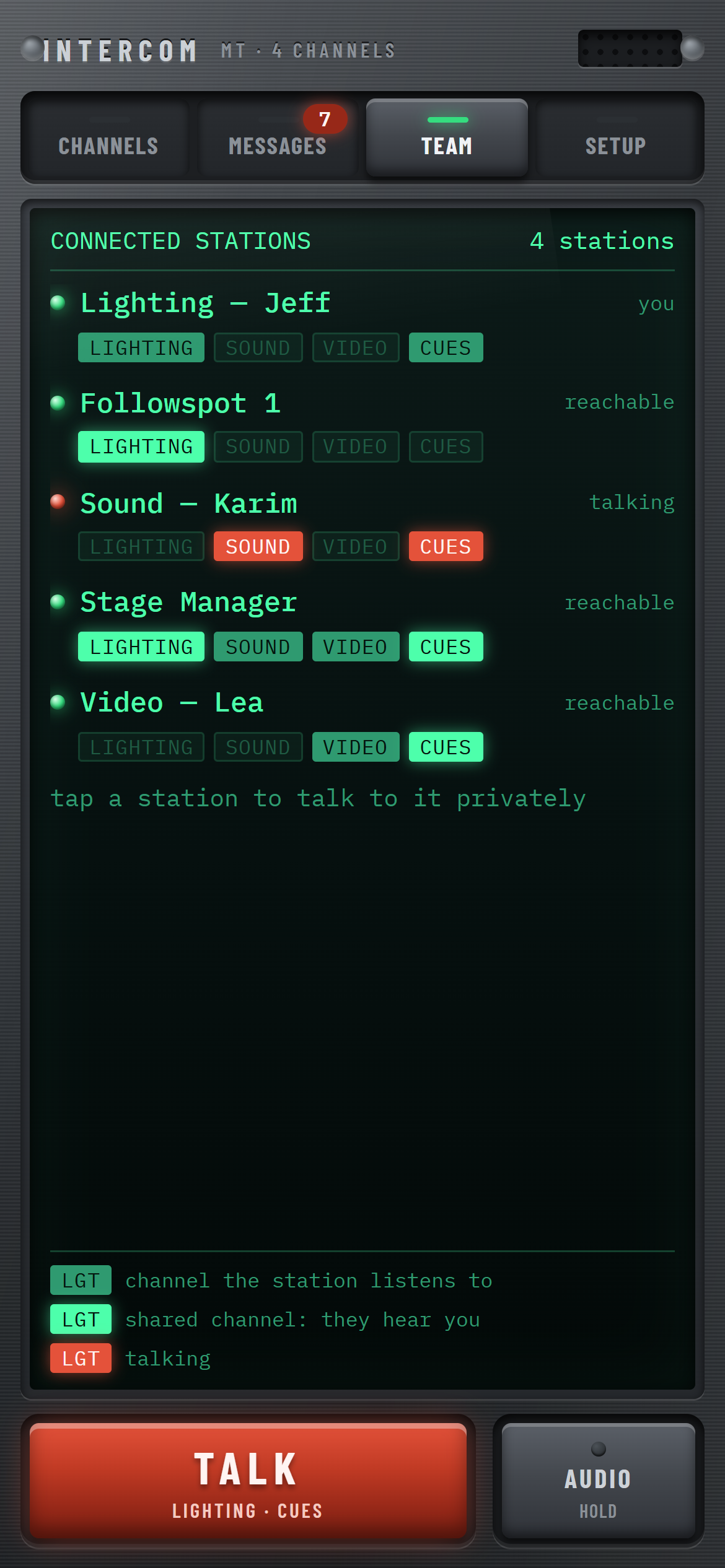
Every connected station, with the channels on which it hears you.

Talk or write to one or several people only.
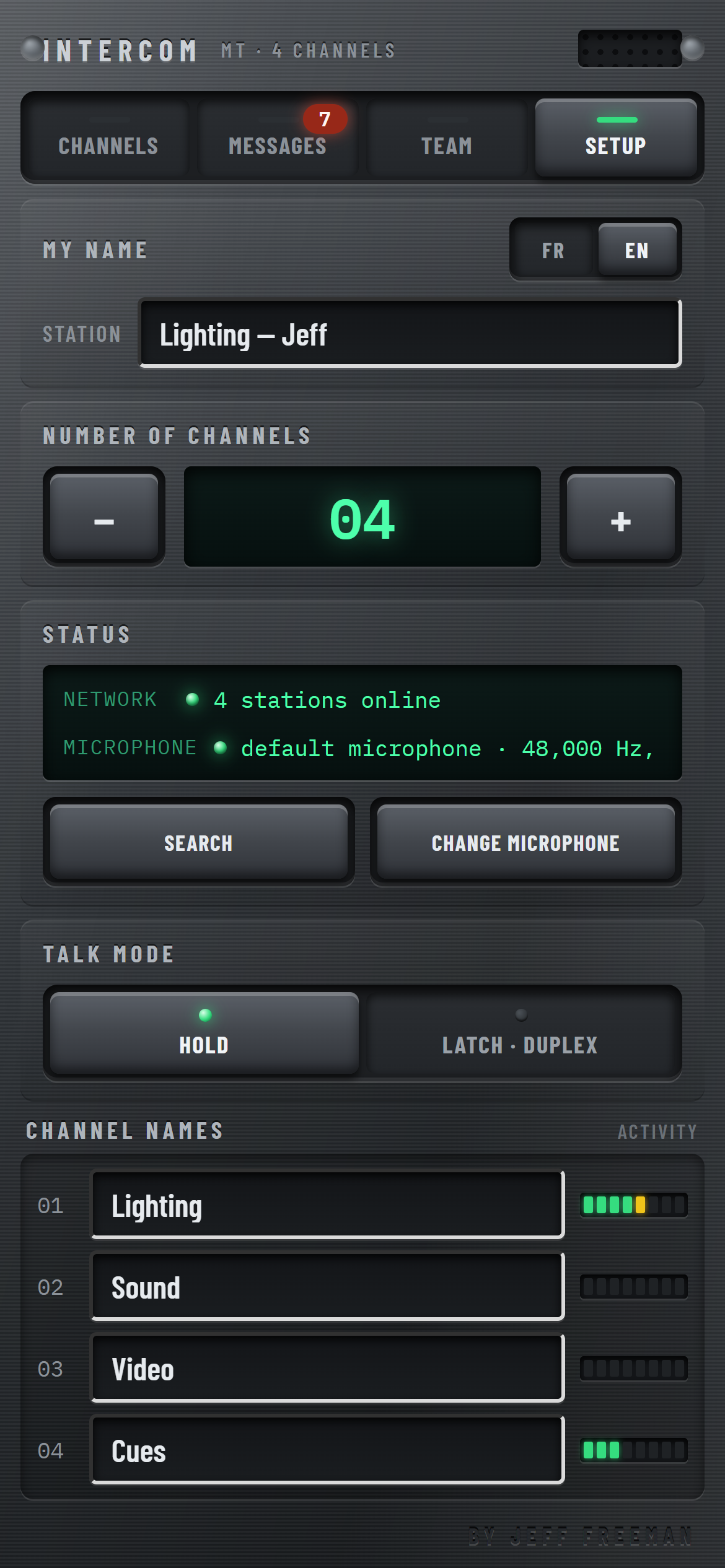
Name, language, number of channels, network and microphone status.

One to four channels, named after your crew.
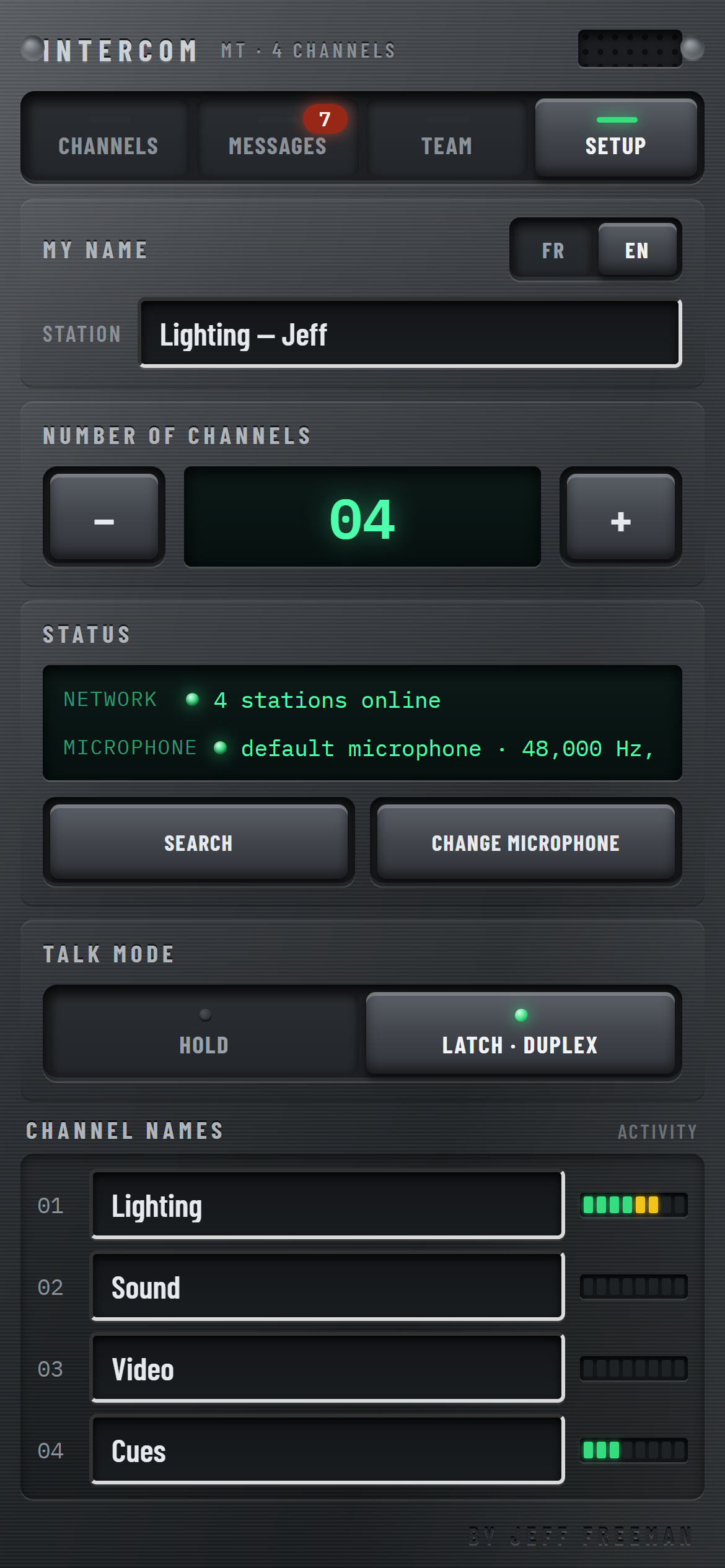
Classic push-to-talk or latching duplex, chosen on each station.
The production intercom on your crew’s phones. Channels per department, push-to-talk, text, voice and photo messages. A Wi-Fi router is all it takes: no server, no computer, no Internet.
Live controls up front, no menu to hunt through. A brushed-steel console look, readable in the dark.
Lighting, sound, video, cues: up to four channels, named after your crew. Selecting a channel means both listening to it and being able to talk on it. Select as many as you like.
Hold it: your voice goes to every selected channel at once. Or switch to latching mode: one press opens the mic, one press closes it, and everyone can talk at the same time.
Each channel has its own level meter, driven by the real signal. You see who is talking and where, even on a channel you are not listening to.
Type a message, record a voice message, send a photo of a patch or a running order. Everything arrives in a timestamped feed, on the channels you chose.
The TEAM tab lists connected stations and the channels where you can reach them. Tap one or several people to talk or write to them privately: nobody else receives it.
No server, no computer, no Internet. Phones discover each other on the Wi-Fi and connect directly. A dedicated router is enough.
From picking channels to talking, from messages to the crew.
Each row of the main screen is a channel: its name, its number, its level meter and a latching SELECT key. A pressed key means you are listening to that channel and your voice will go there. The large screen at the top constantly shows how many channels you are listening to and where your voice and voice messages will go.
Hold TALK: the selected channels turn red, the screen shows ON AIR and your voice goes to all of them at the same time. Release, and everything drops back. With no channel selected, the key goes dark: you never talk into the void.
In LATCH · DUPLEX mode, one press opens the mic and the key stays down, showing LIVE; another press closes it. Everyone can then talk at the same time, like a phone call. In this mode echo cancellation turns on automatically to prevent feedback through the loudspeaker.
The MESSAGES tab gives the whole screen to the history: time, sender, channel and content. Voice messages have their play button, waveform and duration; photos appear as thumbnails. New messages are flagged by a counter on the tab.
The chips under the screen show the destination channels, the same as on the main screen. The TEXT key opens the phone keyboard directly; the keyboard’s Send key sends the message and keeps the keyboard open for the next one. The PHOTO key sends a picture from the gallery or the camera.
Hold AUDIO: the key turns red and a counter shows the length. Release, and the message goes to the selected channels and joins the feed. It waits until the recipient presses play: nobody is caught off guard during a cue.
Level meters stay live on every channel, selected or not. When someone talks on a channel you are not listening to, its meter comes alive: you know something is happening on sound or video, and one press on SELECT is enough to join in. Received photos open full screen with a single tap.
The TEAM tab lists every connected station and, under each one, the channels it listens to. The channels you share with it are highlighted: that is where it hears you. Whoever is talking shows in red. A station with no shared channel is dimmed.
In TEAM, tap one or several people: they are marked PRIVATE, a private message bar appears and the TALK key addresses them only. Private voice is not merely muted for the others: it is not sent to them at all. Back on CHANNELS, you talk to your channels again.
Your name on the network, the language, the number and names of channels, the talk mode: every setting applies immediately and is remembered. The STATUS screen shows the number of stations online and the quality actually obtained from the microphone; the CHANGE MICROPHONE key switches from a wired headset to an earpiece.
Voice travels as full-band Opus at 48 kHz, without the processing that muffles classic intercoms. In duplex mode, echo cancellation turns on for loudspeaker listening. The app measures the sample rate the microphone actually delivers and displays it: a Bluetooth earpiece, useful in noisy places because its mic sits close to the mouth, drops to a narrower band, and you can see it.
Put the phone in your pocket: the intercom keeps running, shown by a discreet notification. Closing the app stops everything, microphone included. The app stays in portrait, whatever the device orientation.
Each phone announces itself on the local network and discovers the others. Links are made directly between stations.
InterCOM is being finalised. Subscribe to the store newsletter to hear when it is released.
No download is offered on this public page.
InterCOM joins the store’s applications, designed for live show and event technicians.