Intuitive Interface
A clean, professional workspace designed for lighting professionals

🏠 Welcome Dashboard
Start your workflow with a unified dashboard that gives you instant access to all essential tools. Whether you're working with GDTF or grandMA3 formats, everything is just one click away.
- Create new GDTF or MA3 fixtures from scratch
- Open existing files with drag-and-drop support
- Quick access to GDTF Share cloud library
- Built-in documentation and tutorials
- Recent files for fast project switching
📚 grandMA3 Library Browser
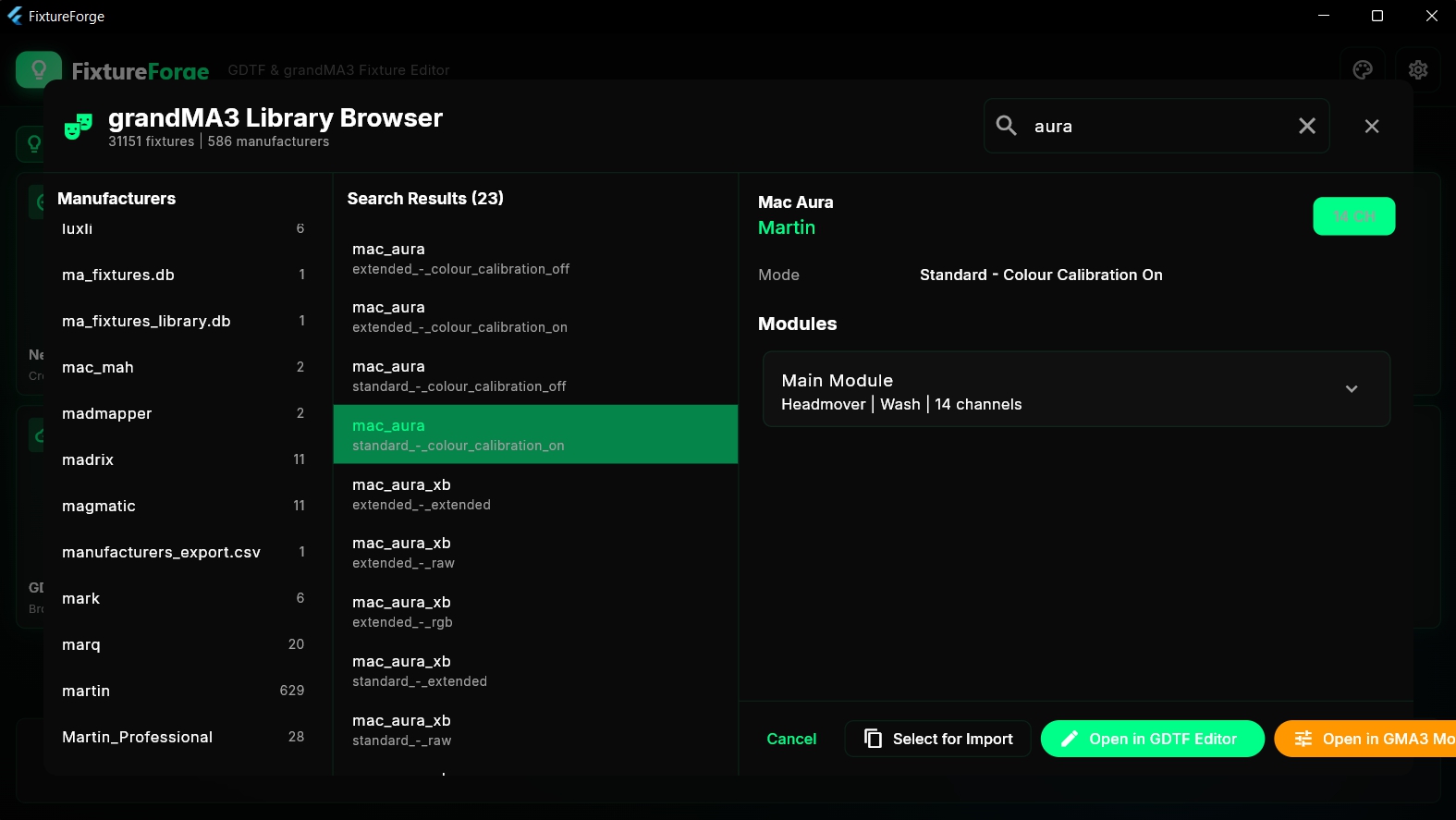
Browse the complete grandMA3 fixture library with over 31,000 fixtures from 586 manufacturers. Search, filter, and instantly import any fixture into your project.
- 31,151 fixtures from 586 manufacturers
- Advanced search with real-time filtering
- Preview fixture details before importing
- Open directly in GDTF or MA3 editor
- View all DMX modes and channel counts

🔍 Fixture Finder
Find the perfect fixture by building a DMX channel sequence. Select the attributes you need, and FixtureForge will find all matching fixtures in the library.
- Search by DMX attribute categories
- Build custom DMX sequences
- Filter by color, intensity, position, and more
- Strict or flexible matching modes
- Instant results with channel count display
📄 General Information
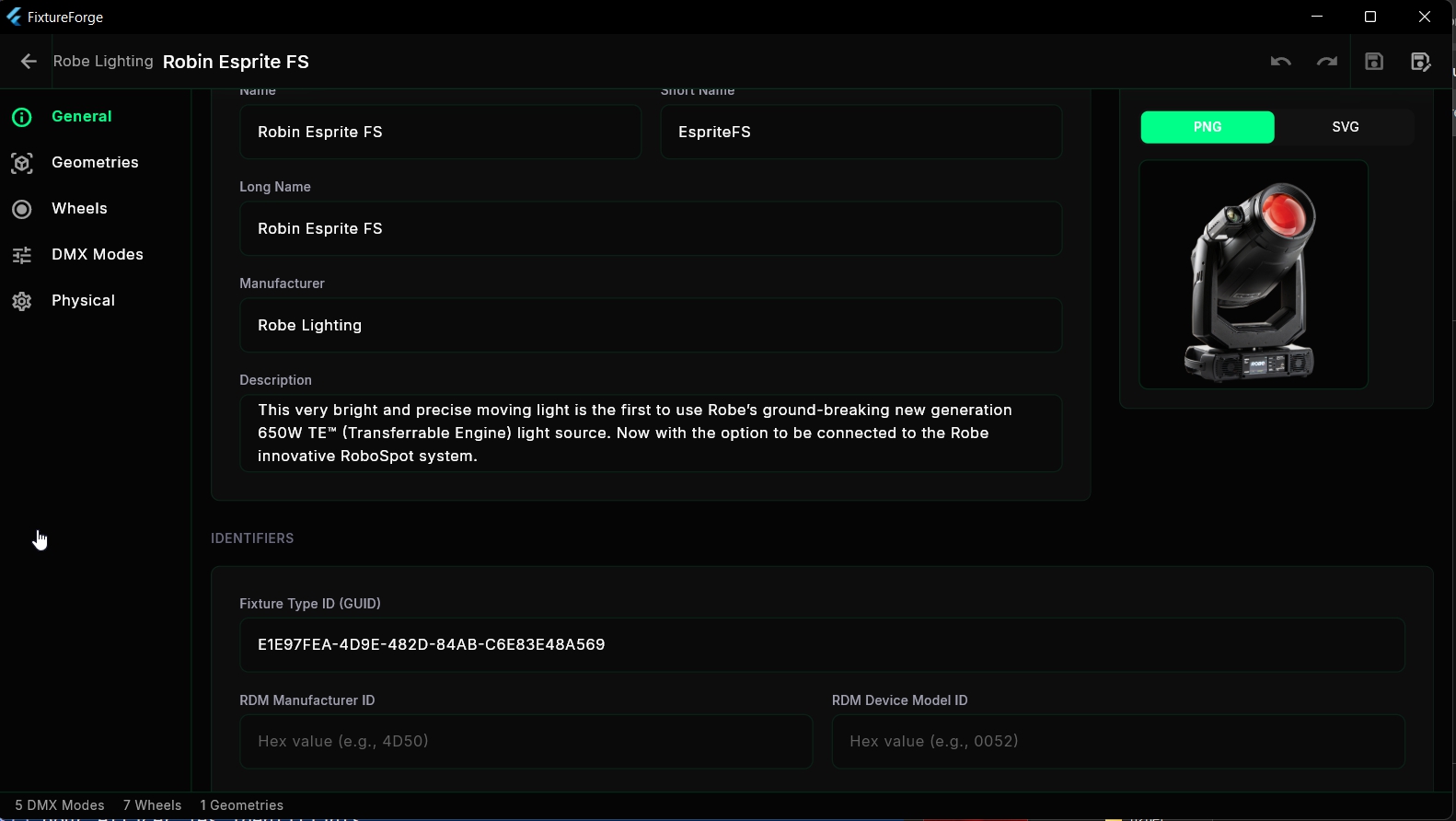
Define all fixture metadata including manufacturer, name, description, and unique identifiers. Import custom thumbnails in PNG or SVG format.
- Fixture name, short name, and long name
- Manufacturer information
- Detailed fixture description
- Unique GUID and RDM identifiers
- Custom PNG/SVG thumbnail support

🎲 3D Geometry Editor
Visualize and edit fixture geometry in real-time 3D. Navigate the geometry tree, position elements, and see exactly how your fixture will appear in visualizers.
- Interactive 3D model viewer
- Geometry tree navigation
- Rotate, pan, and zoom controls
- Import GLB/GLTF 3D models
- Real-time geometry count display
🎨 Wheels & Gobos
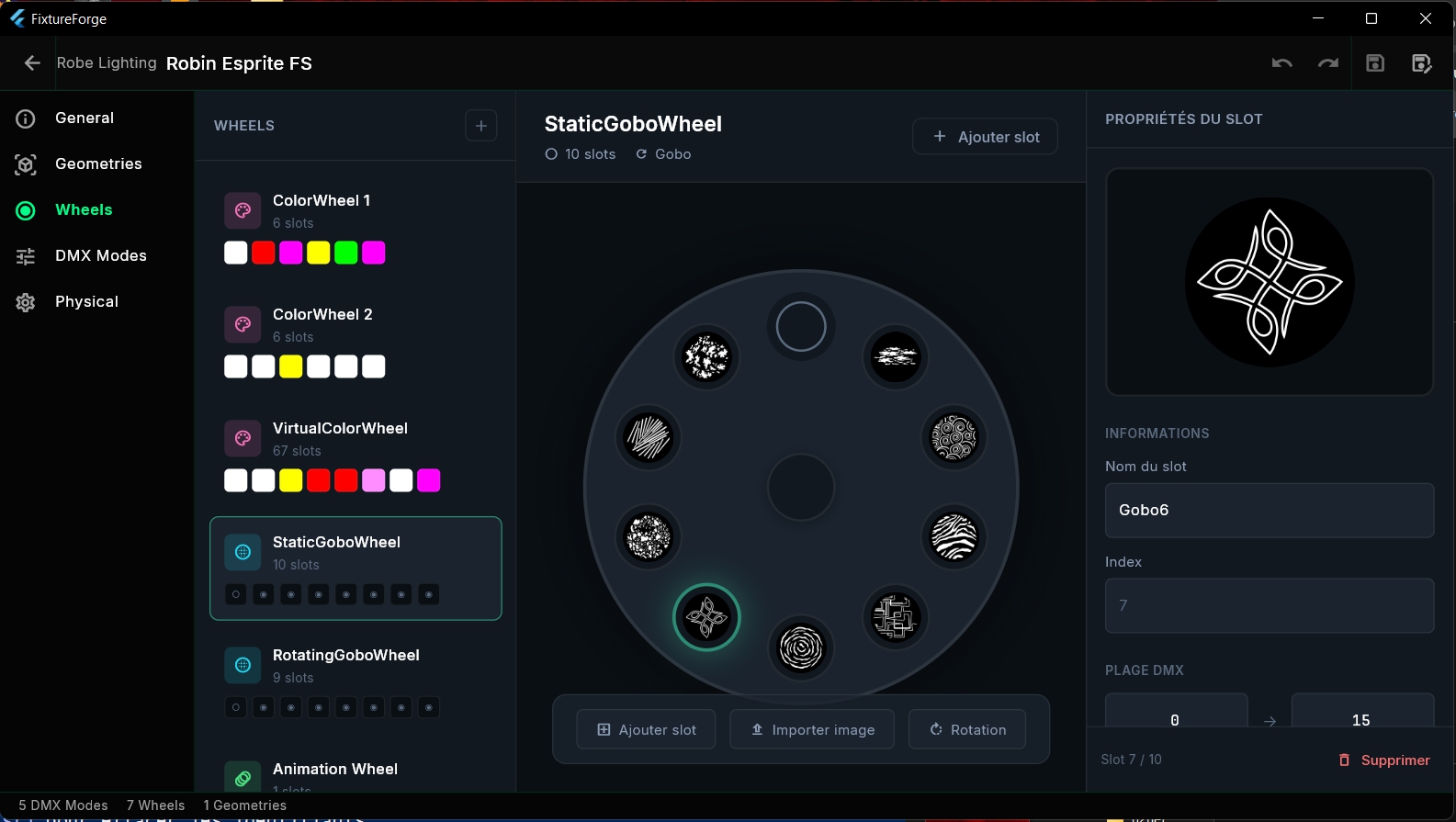
Design color wheels, gobo wheels, and animation wheels with an intuitive visual editor. Import custom gobo images and define precise DMX ranges for each slot.
- Visual wheel editor with slot preview
- Color wheels with precise color values
- Static and rotating gobo wheels
- Import custom gobo images
- DMX range and rotation settings per slot
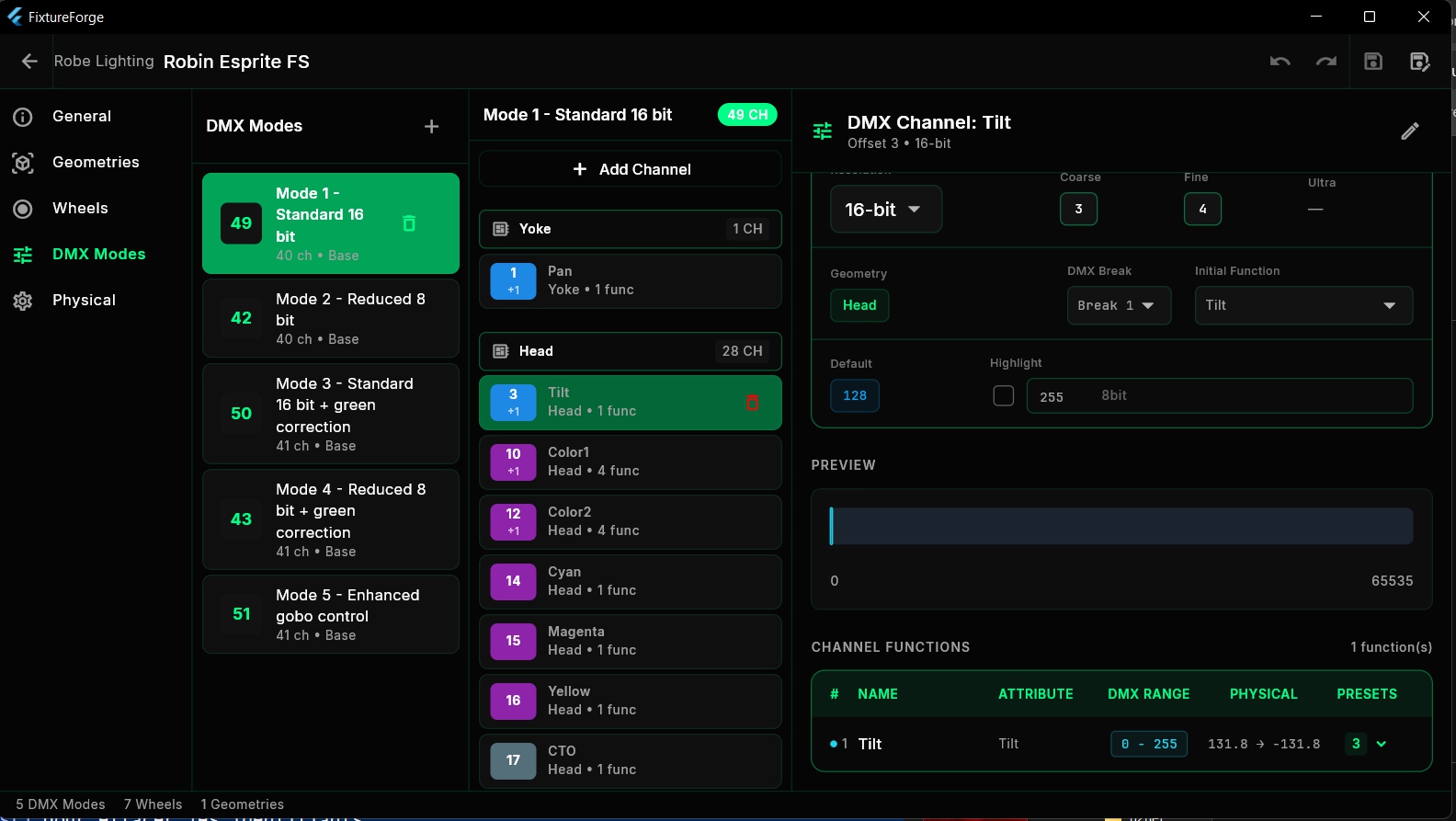
🎛 DMX Mode Editor
Create and manage multiple DMX modes with full channel configuration. Define 8-bit, 16-bit, or 24-bit resolution, channel functions, presets, and physical values.
- Multiple DMX modes per fixture
- Channel tree with geometry assignment
- 8/16/24-bit resolution support
- Channel functions with DMX ranges
- Preset values and physical ranges

⚙ Physical Properties
Define precise physical specifications including weight, power consumption, operating temperature, emitters, filters, and electrical connectors.
- Weight and power consumption
- Operating temperature range
- LED emitter definitions
- Color filter specifications
- Electrical connector types

🔄 Fixture Converter
Convert fixtures between GDTF and grandMA3 formats with ease. Batch process multiple files at once with bidirectional conversion support.
- Bidirectional GDTF ↔ MA3 conversion
- Batch convert multiple files
- Direct GDTF Share integration
- Access grandMA3 Library directly
- Custom output directory selection

☁ GDTF Share Integration
Connect directly to the official GDTF Share cloud library. Browse thousands of community-uploaded fixtures, view ratings, and download with one click.
- Direct GDTF Share API integration
- Browse 923+ manufacturers
- Community ratings and reviews
- Fixture metadata and version history
- One-click download and import

🎨 Premium Themes
Customize your workspace with beautiful premium themes. Adjust the global hue to create your perfect color scheme, or choose from pre-designed themes.
- Global color hue adjustment
- 6+ premium theme presets
- RGB Matrix LED-inspired theme
- Dark mode optimized
- Real-time theme preview
Get FixtureForge
Perpetual license with free lifetime updates. Pay once, use forever.

Works With Your Favorite Tools
Download FixtureForge
Available for Windows.
Version 1.0.0 | Windows 10/11 64-bit