iFocus is a professional Android application that transforms your smartphone or tablet into a complete remote control for GrandMA3 lighting consoles. Control every parameter of your fixtures directly from your pocket via OSC protocol.
iFocus gives you direct control over all fixture attributes: position, color, gobos, beam effects, shapers, and much more. Everything through an intuitive interface designed for stage professionals.
Control all parameters with realistic virtual encoders. Pan, Tilt, Dimmer, Focus, Zoom, Colors (RGBW), Color Temperature (CTO/CTC/CTB), Iris, Gobos, Prism, Frost, and 8 Shaper blades with rotation.
15 faders per bank across 20 banks. Real-time synchronization with console values. Realistic design with blue progress line and vertical labels.
Download and view your GrandMA3 patch directly via OSC or SFTP. Share via QR code for quick access from any device on your network.
Automatically sync all your presets from the console: Position, Color, Focus, Beam, Shape, and Dimmer. One-tap access with alphabetical sorting option.
View and select all your groups synced from GrandMA3. Responsive grid with fixture names. Multiple selection support.
Connect a Bluetooth or USB gamepad (Xbox, PlayStation) for physical control. Configure each button action. Adjustable sensitivity and deadzone.
A dark interface optimized for low-light environments, with customizable accent colors via HUE rotation. High-contrast elements that are easy to see and tap during performances.
Enter your GrandMA3 IP address and synchronize groups, presets and faders. OSC terminal displays all communication.
Language selector, HUE color rotation, Patch Viewer with SFTP download, and Discord community link.
Download your patch via OSC. View all fixtures with FID, name, mode and DMX address. Statistics displayed.
Generate a QR code to share your patch. Anyone on the network can scan and view the patch in their browser.
View and select all your groups synced from GrandMA3. Responsive grid with fixture names.
Large rotary encoder with Normal/Fine mode. Quick presets and synced Dimmer presets from console.
Each tab is dedicated to a specific function. Navigate with horizontal scrolling and access all parameters of your fixtures.
A complete command line with terminal display. Type commands like on your console: Fixture, Chan, Group, Thru, At, +, -, etc. Quick actions: Up, Down, Solo, Highlight, Blackout, Prev, Set, Next.
All your groups synced from GrandMA3 in a responsive grid. Tap to select one or multiple groups. Names displayed as on console: Spots, Beams, Wash, Strobe, etc.
Large rotary encoder for precise intensity control. Normal/Fine mode toggle. Quick presets: 0, 25, 33, 50, 65, 75, 85, Full. Access to synced Dimmer presets.
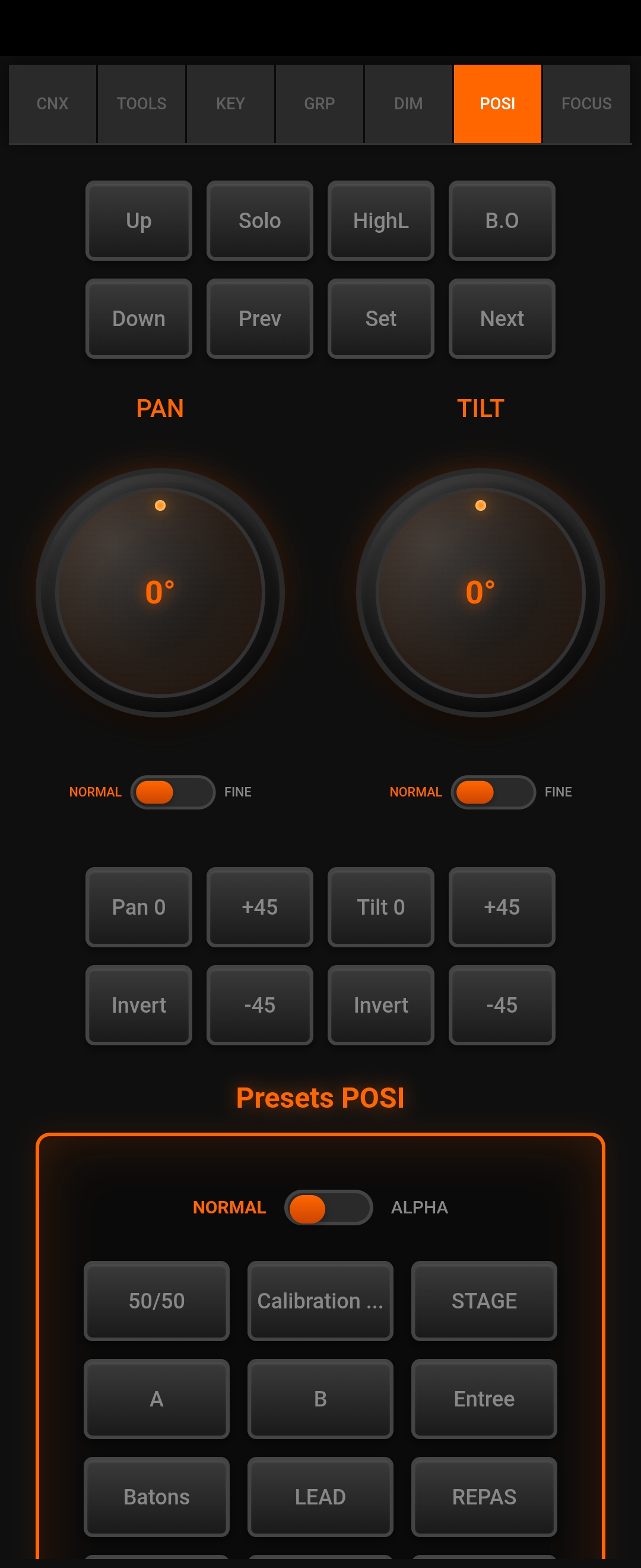
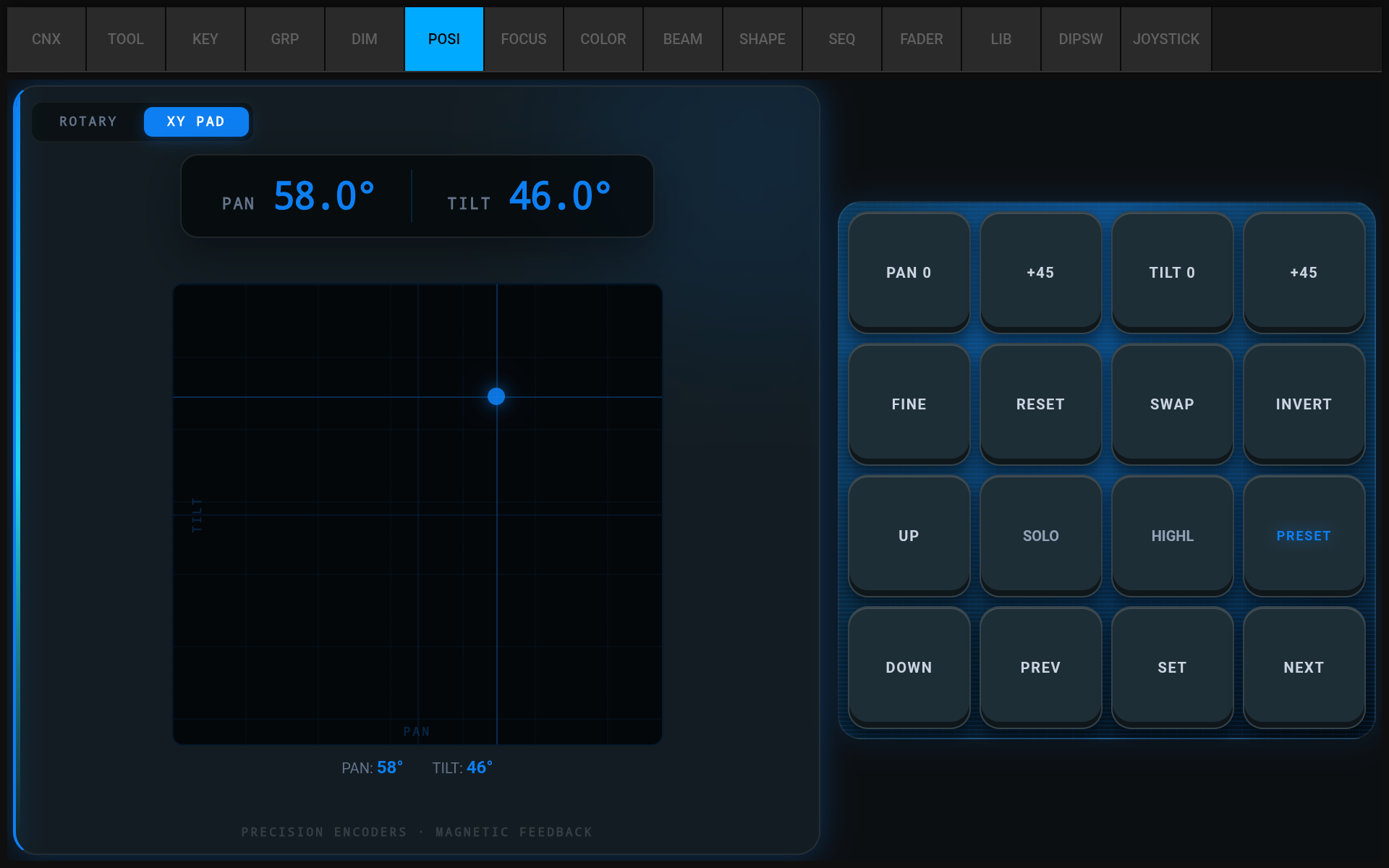
Two large encoders for Pan and Tilt control. Independent Normal/Fine mode for each. Quick presets and XY Pad for tablet. Access to Position presets with alphabetical sorting.
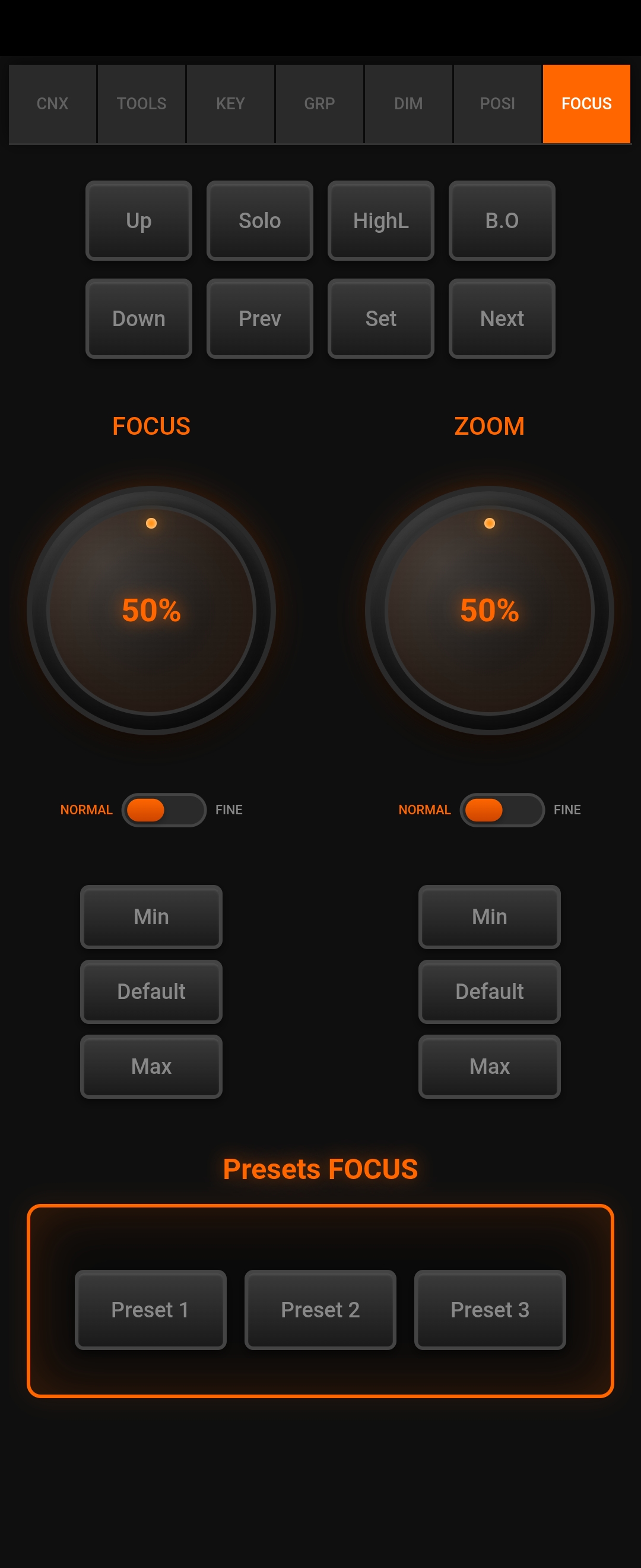
Control optical parameters with dedicated encoders. Focus for sharpness, Zoom for beam angle. Quick presets: Min, Default, Max. Access to synced Focus presets.
7 color-coded encoders: Red, Green, Blue, White for RGB mixing. CTO (warm), CTC (cool), CTB (blue) for color temperature. Color Picker for tablets. Each encoder has a matching color.
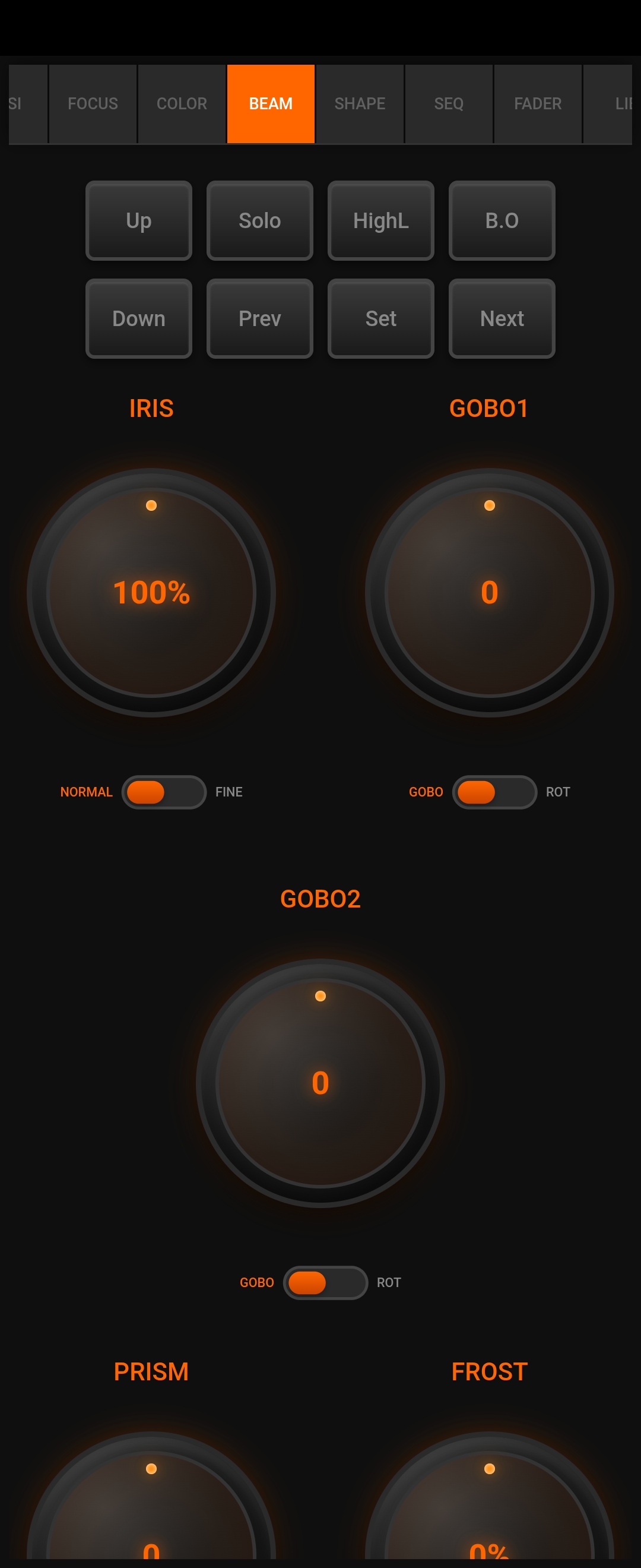
Control all beam parameters: Iris (0-100%), Gobo1 and Gobo2 with index or rotation mode, Prism with index or rotation, and Frost. Each with its own mode toggle.
8 blade encoders (1A, 1B, 2A, 2B, 3A, 3B, 4A, 4B) plus global rotation (ROT). RAZ Blades to reset all blades, RAS Rotation to reset rotation. Global Normal/Fine toggle.
View and control your sequence pool directly from the app. Navigate through cues, start/stop sequences, and monitor playback status. Synced with your console in real-time.
15 realistic virtual faders per bank, 20 banks total = 300 faders. Blue progress line, vertical name labels, percentage display. Real-time sync with console values.
Integrated grandMA3 Fixture Finder. Search by DMX channel categories: Colors, Intensity, Position, Zoom/Focus, Gobo, Effects, Control. Access to 31,000+ fixture profiles.
DMX address to DIP switch converter (1-512). Quick presets: 1, 128, 256, 384, 512, Random. Visual binary display with SW9 to SW1 representation.
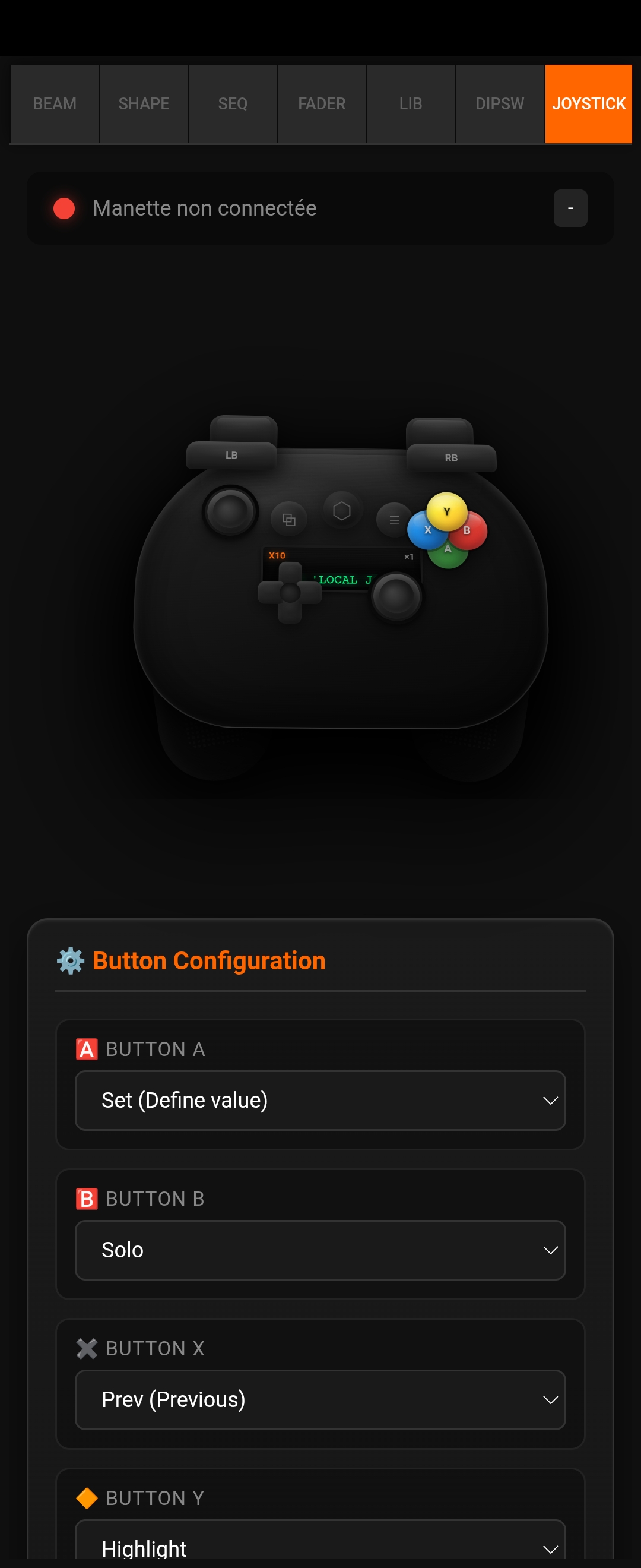
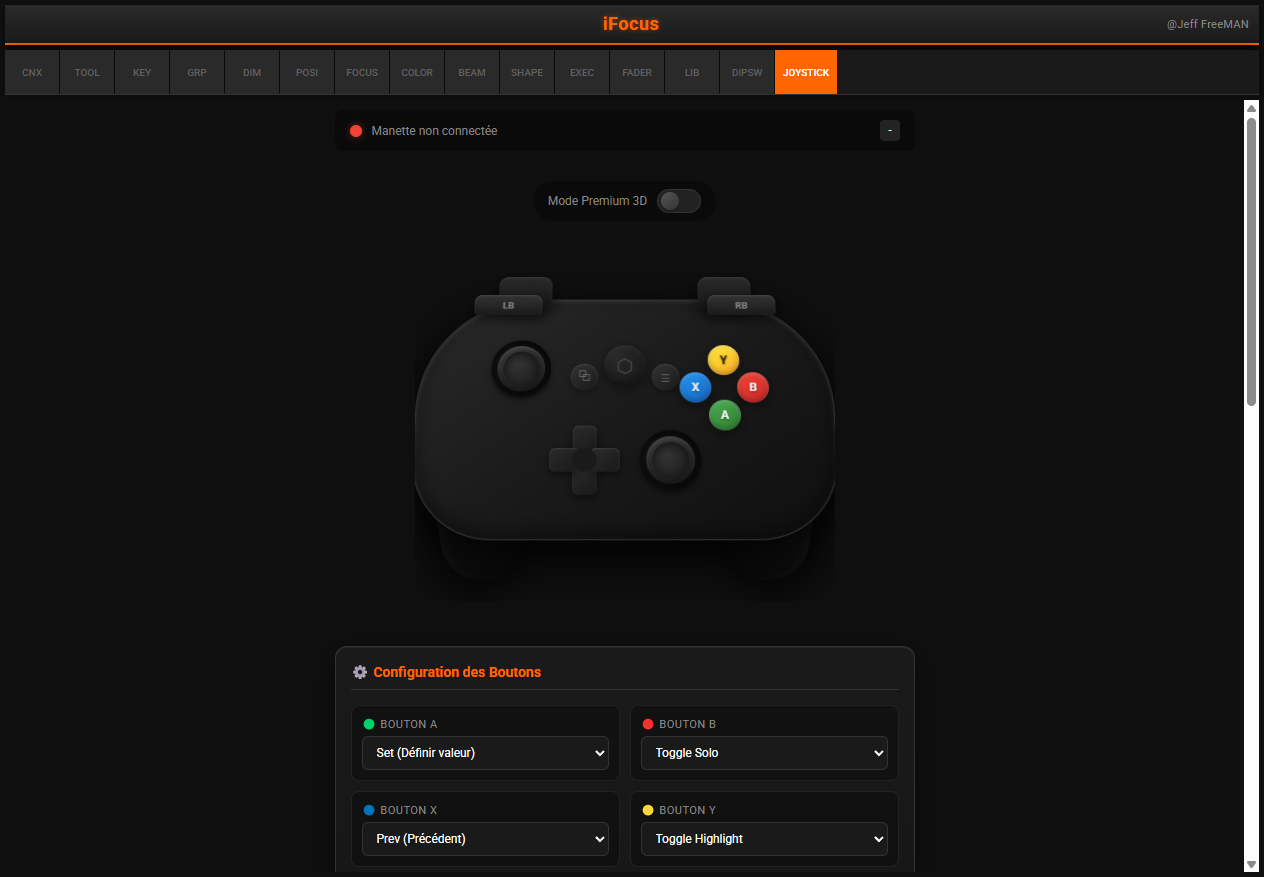
Dedicated tab for gamepad configuration and monitoring. Configure button actions, adjust sensitivity and deadzone, view real-time stick and trigger values. Premium 3D controller visualization.
iFocus adapts beautifully to tablet screens with XY Pad, Color Picker, expanded fader views, and more. Take advantage of the larger display for professional control.
Intuitive touch control for Pan/Tilt positioning on larger screens.
Visual color selection wheel for quick and precise color mixing.
Full-width fader view optimized for tablet touchscreen control.
Complete connection overview with sync status and OSC terminal.
Full sequence pool view with cue lists and playback controls.
Extended keypad layout with comfortable spacing on tablet screens.
Connect a Bluetooth or USB gamepad for physical control. Xbox, PlayStation or generic controllers supported. Configure each button to your preferred action.
Phone View
Tablet View
Button Configuration
Right stick for Pan/Tilt control. Left stick configurable. Adjustable deadzone and sensitivity.
Analog triggers for progressive control. Use for Dimmer, Zoom, Focus or other parameters.
Configure each button: Solo, Highlight, Blackout, Set, Prev/Next Group, Fine toggle, and more.
Directional pad for Prev/Next navigation, Dimmer Up/Down, or custom axis control.
iFocus speaks native OSC protocol, the same language your GrandMA3 console understands. Bidirectional communication for real-time synchronization. No middleware, no converters.
Native UDP communication on port 8000
Advanced sync via embedded Lua commands
Direct patch file download from console
Built-in server for patch sharing (port 8088)
One-time purchase, lifetime license. No subscription, no hidden fees.
One-time purchase - Lifetime license
Secure payment via Lemon Squeezy. License key delivered instantly.